Kids Math: Math Games for Kids
- 4.5
- Rating
- 5.00M
- Installs
- Free
- Price
 Analysis by App-foxy
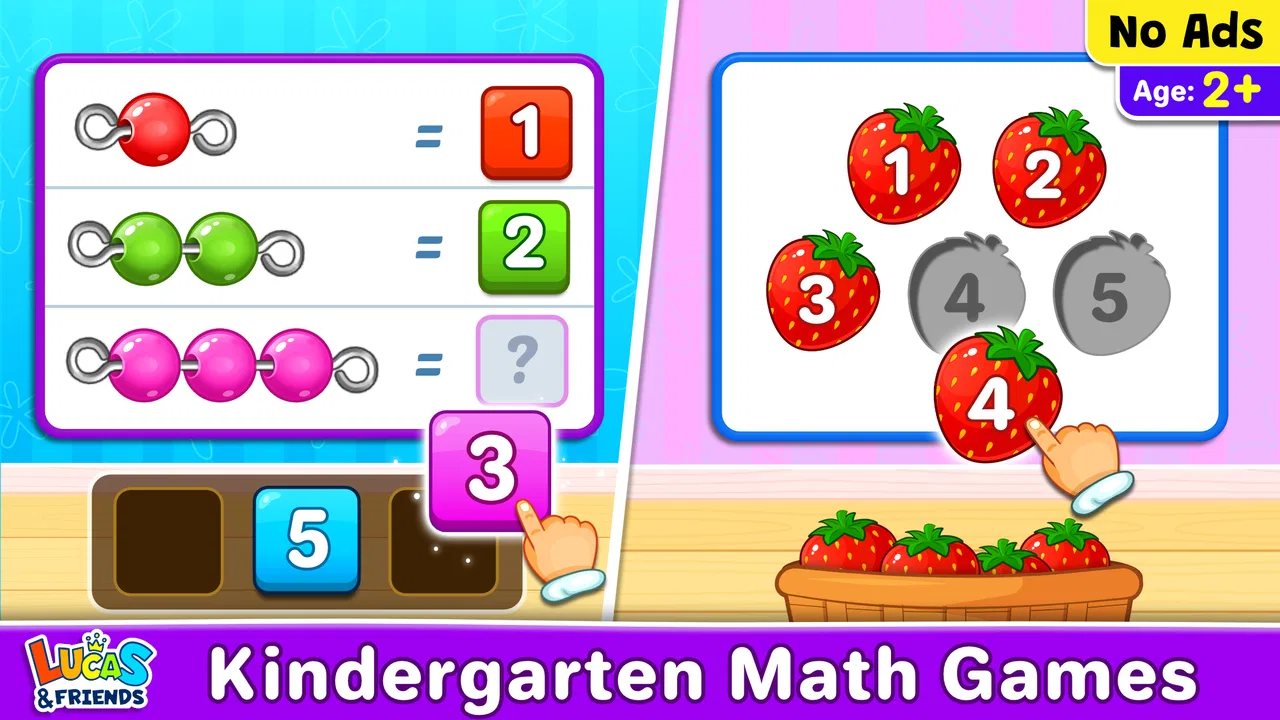
When I first opened Kids Math: Math Games for Kids, I approached it as a parent would: I wanted to see whether a child could understand what to do without a long explanation. The game presents early math as a playful activity rather than a worksheet, focusing on counting, matching numbers, and simple arithmetic. That makes it a useful starting point for children who are still building confidence with numbers.
It is an educational game from RV AppStudios, available free of charge for Android users. Its Everyone age rating makes the intended audience clear, although younger children will still benefit from an adult sitting nearby during the first few sessions. The game has reached over five million installs and holds a 4.5 average from around ten thousand ratings, which suggests that many families find its basic approach approachable.
My overall impression is positive, with an important qualification: this is best viewed as a gentle practice tool, not a complete mathematics course. It can make a short learning session feel less formal, but it will not replace conversation, physical counting objects, handwriting practice, or a more structured curriculum when a child is ready for those.
You May Also Like

 Blood Strike: 2.5 Anniversary
Blood Strike’s Loadouts Turn Every Drop Into a Tactical Gamble
A close look at Blood Strike’s custom loadouts: how fast access to signature weapons reshapes its battle royale rhythm, rewards preparation, and narrows the gap between fights.

 Pandora - Music & Podcasts
Pandora’s Music Is Easy to Start, but Harder to Recover
Pandora’s strength is its low-effort path from a seed to a station. Its weak spot is how much confidence it asks you to place in connection, setup, and quiet recovery.

 8 Ball Pool
 Is Built on Rivalries, Rematches, and Routine
A close look at the rivalries, rematches, shared routines, and unanswered safety questions that turn a quick pool match into a persistent mobile community.

 Samsung Music
’s Quiet Strength Is Playing What You Already Own
Its reach comes less from spectacle than from dependable access to a personal library. That simplicity is both the app’s strongest retention engine and its ceiling.

 AccuWeather: Weather Radar
AccuWeather Review: A Quick, Clear Forecast for Everyday Decisions
For everyday plans, the best forecast is the one you can understand quickly. AccuWeather makes rain timing, radar, and local conditions easy to act on, with a few trade-offs.

 Hill Climb Racing
Why Hill Climb Racing Still Turns Crashes Into One More Run
A tiny car, a bumpy hill and one more upgrade: Hill Climb Racing keeps resurfacing because its simple chaos makes every near-miss feel personal.
More From Our News Desk



What the first session feels like
The main appeal is the low barrier to entry. A child does not need to understand complicated rules before beginning. The activities are built around familiar early-learning ideas, so the first meaningful success can come from recognizing a number, pairing it with the right quantity, or answering a basic calculation.
That matters because early learners often need several small wins before they are willing to keep trying. In my experience, a game like this works best when the adult treats each answer as a chance to talk through the thinking, rather than simply checking whether it was right. Asking, “How did you know?” turns a tap on the screen into a short math conversation.
The presentation is clearly aimed at children, but the educational value depends on how the child uses it. A child who already handles basic sums comfortably may move through the introductory material quickly. A child who is learning to identify numerals or connect numbers with quantities may find the same activities more useful and rewarding.
One practical strength is that the game gives families an easy activity for short gaps in the day. It can fit into a few minutes before dinner, during a quiet wait, or after school when a child is not ready for a formal lesson. I would not make it the centerpiece of a long study period. Its role is more effective as a small, repeatable practice moment.
Who is likely to enjoy it
I would recommend it most strongly to preschool and early-primary children who need friendly exposure to number concepts. It can also suit a child who becomes discouraged by printed exercises, because the game format makes the first attempt feel lighter. Children who learn well through repetition may appreciate returning to familiar skills until they feel automatic.
It is less suitable for an older learner looking for advanced challenges, detailed explanations, or a broad progression through formal mathematics. It is also not the right choice if you want a digital tool to track a child’s learning in depth or provide a full teacher-style lesson plan. For those needs, a dedicated curriculum app, workbook, or direct instruction would be a better match.
Getting started without creating pressure
The game runs on Android devices using version 6.0 or later. After installing it, I would begin with the child beside me rather than handing over the phone and walking away. The first goal should not be completing a large amount of content. It should be discovering how the activities work and finding one task the child can solve independently.
A calm setup makes a noticeable difference. Use a comfortable screen position, remove distractions where possible, and let the child tap through the opening activity at their own pace. If the child asks what to do, explain the task in ordinary language instead of giving the answer. For example, point out that the numbers or objects need to be compared, then wait for the child to make the connection.
I also suggest watching whether the child understands the instruction or is simply guessing. A correct tap is not always evidence that the idea is clear. If the child chooses quickly, ask them to count aloud or point to the matching number. This simple check helps you distinguish genuine understanding from trial and error without turning the session into a test.
Because the game is free, it is easy to try without making a financial commitment. That does not mean every child will immediately connect with it. Some children prefer physical blocks, cards, or drawing numbers on paper. If the screen becomes a distraction rather than a learning aid, switching formats is sensible rather than forcing more play.
How to create the first real success
The most reassuring first milestone is a task the child completes after thinking, not merely after repeated tapping. When that happens, pause and name the skill: “You matched the number to the group,” or “You counted each one and found the answer.” This gives the child a clear sense of what they accomplished.
For counting activities, I would encourage the child to touch or point to each item once while saying the numbers aloud. That prevents a common early mistake: saying the number sequence correctly while losing track of which objects have already been counted. The game can provide the prompt, but the adult can add the physical habit that transfers to toys, snacks, and classroom work.
For number matching, ask the child to describe what they see before choosing. Is the numeral familiar? Does the quantity beside it make sense? This turns recognition into reasoning. If the child is unsure, compare two choices rather than revealing the correct one immediately. Narrowing the decision can preserve confidence while still requiring thought.
For basic arithmetic, real objects can make the digital question easier to understand. If the screen presents a simple addition problem, place a few safe household items nearby and let the child model the operation. The game then becomes a prompt for hands-on learning instead of an isolated answer box.
One useful routine is to stop after a successful activity and ask the child to invent a similar question for you. It does not matter if the question is very simple. Creating a problem shows whether the child understands the relationship between numbers, and it gives the session a playful two-way quality.
Where adults may need to step in
The most common confusion with early math games is assuming that a child who can tap the right answer understands the underlying concept. A child may recognize a familiar pattern, remember a previous position, or guess between choices. That is why I would occasionally ask for an explanation or invite the child to demonstrate the same skill away from the screen.
Another possible source of friction is language. A young child may know how to count but not understand the wording of an instruction. Read it aloud in simpler terms, then ask the child to repeat what the task means. This is especially helpful when a child seems frustrated by an activity that should otherwise be within reach.
Children also differ in how much repetition they tolerate. One child may happily revisit counting tasks, while another may lose interest after a few rounds. I would keep sessions short and end after a clear success rather than waiting for visible boredom. Ending positively makes it easier to return later.
It is worth remembering that mistakes are part of the learning process. If the child selects an incorrect answer, avoid immediately taking over. Ask them to recount, compare, or show the problem with objects. The aim is not to protect a perfect score; it is to help the child discover a reliable method.
Adults should also watch for signs that the material is too easy. If a child answers instantly and cannot stay engaged, the game may be useful only as a warm-up. In that situation, move from the screen to a richer challenge, such as asking the child to explain a solution, write the numbers, or solve a similar example with household objects.
Making the game part of an everyday routine
A realistic use case is a short after-school reset. I might offer a few minutes of play while preparing a snack, then sit down for one activity together. Afterward, I could ask the child to count the fruit pieces or compare two groups on the plate. The digital task becomes connected to something tangible, which is where early math begins to feel useful.
Another good moment is before a trip or appointment, when a child needs a quiet activity but is not ready for a long lesson. I would choose a clear stopping point in advance and explain that the game is one small activity, not an unlimited session. This keeps the focus on practice and reduces the chance that the child treats it only as screen entertainment.
For siblings, taking turns can create a helpful conversation, but it can also introduce competition. I would avoid presenting the fastest answer as the best answer. Let one child count while the other checks, then switch roles. This can turn the game into cooperative practice, provided both children remain comfortable.
Teachers or caregivers could use the game as a starting prompt before a physical activity. After a counting task, ask children to sort buttons or blocks. After number matching, invite them to find numerals in books or on signs. The game is strongest when it opens the door to these offline extensions.
How it compares with familiar alternatives
Compared with paper worksheets, this game feels more inviting for a child who resists sitting down with a pencil. It offers immediate interaction and removes the need for an adult to prepare a page of exercises. The trade-off is that a worksheet can show handwriting, working steps, and mistakes in a way a tap-based activity cannot.
Compared with physical counting toys, the game is more convenient and easier to use when you are away from home. Blocks, counters, and cards remain better for developing hand control and showing quantities in a flexible way. A child can rearrange physical objects, make their own groups, and see the result from different angles.
Compared with a full learning platform, this title is simpler and more focused. That can be an advantage for a first introduction, especially when a child becomes overwhelmed by menus, accounts, or many academic subjects. The disadvantage is that families wanting detailed progress records, a carefully staged syllabus, or deeper explanations may find it limited.
Compared with a tutor or parent-led lesson, it offers consistency but not conversation. The game can present a task, yet it cannot replace an adult noticing that a child is counting from memory, confusing a numeral with a quantity, or using a method that will cause trouble later. I see it as a companion to teaching, not a substitute for it.
Small habits that improve the learning value
First, ask the child to predict before tapping. Prediction encourages attention and prevents the activity from becoming a sequence of random choices. Even a simple statement such as “I think this group has more” gives the child a reason to inspect the screen carefully.
Second, connect each digital skill to a non-digital example on the same day. If the child practices matching a numeral to a quantity, look for another chance to match numbers while setting the table or organizing toys. This transfer is more valuable than completing many similar rounds on the device.
Third, vary who explains the answer. Sometimes the adult can model a thought process; sometimes the child can teach a younger sibling or a stuffed toy. Explaining exposes gaps that a correct tap may hide, while keeping the mood relaxed.
Fourth, use the game as a confidence bridge rather than a reward that must always be earned. If every session is tied to behavior or chores, the child may focus on access instead of learning. A predictable, brief routine communicates that practicing numbers is a normal part of the day.
Finally, notice when to stop. A child who is tired, rushing, or becoming upset is unlikely to benefit from additional rounds. Put the device away after a manageable success and return another time. Consistency matters more than squeezing every possible activity into one sitting.
What I would keep in mind before installing
The free price makes this an easy option to test, and the Everyone rating suits its early-learning purpose. The developer is RV AppStudios, and the game was released on May 5, 2021, so it has had time to establish a visible user base. It has around ten thousand ratings and 77 written reviews, with a 4.5 average, while its install count is above five million.
Those figures are useful context, but they do not tell me whether a particular child will enjoy the activities. The better question is whether your child needs practice with early number ideas and responds well to short, interactive tasks. If the answer is yes, this is a sensible first experiment.
I would skip it as a primary solution for children who are already beyond basic counting and simple arithmetic, or for families seeking a complete, measurable learning program. I would also avoid relying on it alone when a child is struggling persistently. In that case, a teacher, caregiver, or specialist can identify the exact difficulty and choose activities that address it more directly.
For a first-time user, the path is straightforward: install the game on a compatible Android device, sit with the child for the opening activity, help clarify the instruction without answering, and celebrate the first solved task for the method used. Then connect that skill to something in the real world and stop while the experience is still positive.
My final view is that this is a friendly entry point into early math rather than an all-purpose educational system. I like its focus because it gives a young child a manageable way to meet numbers, while the free access lowers the risk of trying it. The best results come when the game starts the learning conversation instead of ending it. Used in short sessions and supported with counting, talking, and hands-on examples, it can become a useful little part of a child’s routine.
FAQs for Kids Math: Math Games for Kids
01What is Kids Math: Math Games for Kids?
Kids Math: Math Games for Kids is an educational mobile app designed to help children practice basic mathematics through short, interactive activities. It generally focuses on skills such as counting, addition, subtraction, multiplication, division, number recognition, and simple problem-solving. The game-based format can make practice feel less like homework, although the exact lessons and difficulty levels may vary depending on the version installed.
02What age group is Kids Math: Math Games for Kids suitable for?
The app is mainly intended for young children who are beginning to learn or reinforce fundamental math skills. It may be suitable for preschoolers, kindergarten children, and early elementary students, depending on their existing knowledge and the selected difficulty level. Parents should review the available exercises first, because some activities may be too easy for older children or too challenging for children who are still learning numbers.
03Does Kids Math: Math Games for Kids work without an internet connection?
Many basic math activities in children’s learning apps can be used offline after installation, which is convenient for travel, school breaks, or areas with limited connectivity. However, certain features may require internet access, including advertisements, updates, analytics, cloud progress, or additional content. Before relying on offline play, open the app in airplane mode and confirm that the lessons your child needs remain available.
04Is Kids Math: Math Games for Kids safe for children?
The app is designed around children’s educational use, but parents should still check its privacy settings, advertising behavior, permissions, and in-app purchase options before handing over the device. Depending on the platform and version, the app may display ads or include links outside the learning area. It is best to activate parental controls, disable unwanted purchases, and supervise younger children during their first sessions.
05Is Kids Math: Math Games for Kids free to download and use?
The app may be available as a free download, but free access does not always mean that every feature is included. Some versions can contain advertisements, optional purchases, premium lessons, or subscription-based content. Check the Google Play Store or Apple App Store listing for the current pricing details, supported devices, and purchase terms. Reviewing these details before downloading helps avoid unexpected charges or limitations.
Pros
- Short sessions make it easy to fit into a child’s daily routine.
- Bright visuals and animations help maintain younger players’ attention.
- Covers several basic math skills in one child-friendly app.
- Immediate feedback helps children recognize and correct mistakes.
- Useful for quiet practice at home or while traveling.
Cons
- Some children may find the activities repetitive after extended play.
- Difficulty may not adapt perfectly to every child’s learning speed.
- Progress tracking may be limited for parents or multiple children.
- Requires a compatible device and enough storage for installation.
- In-app distractions may reduce focus during independent practice.

Kids Math: Math Games for Kids
Gallery